Choosing school management software is one of those decisions you only make every few years, so it is hard to know what to ask. Sales demos are polished, feature lists are long, and the questions that matter most (cost over time, data, support) often only surface after you have signed.
Before choosing school management software, be clear on the jobs it must do every week, the full cost as you grow, where your data is stored and who can see it, how you get your data out, and what support looks like. Ask every supplier the same ten questions and compare the answers side by side.
Here are the ten questions we would ask, whichever supplier you speak to.
1. Was it built for settings like ours?
Software designed for a 1,500-pupil secondary works very differently from what a 30-pupil AP provider or tuition centre needs. Ask who the typical customer is. If most customers are large schools, check whether the features you depend on, such as part-time timetables, multiple sites or pupils referred by different local authorities, are first-class or an afterthought.
2. What will it cost in year one, and in year three?
Get a written quote that covers:
- Subscription price and how it is calculated (per pupil, per user, per site or flat).
- Set-up, data import and training fees.
- Support and whether it costs extra.
- How and when prices have risen in the past.
Per-pupil pricing can look cheap at first but becomes harder to budget when numbers change through the year. Ask the supplier to price your busiest term, not your quietest.
3. Does it handle the way we actually take registers?
Attendance is where software earns its keep. Ask:
- Are registers created from the timetable, or typed up separately?
- Can we use our own absence reasons, and do we need statutory attendance codes?
- Can staff mark a whole day at once for pupils who are absent all day?
- What happens when a register is not completed?
If you are a registered school, check the system supports the codes set out in the DfE’s statutory guidance, Working together to improve school attendance. If you are an unregistered provider reporting to a commissioning school, you may simply need clear session records and your own reasons, which the school then codes.
4. Can it produce the reports our commissioners ask for?
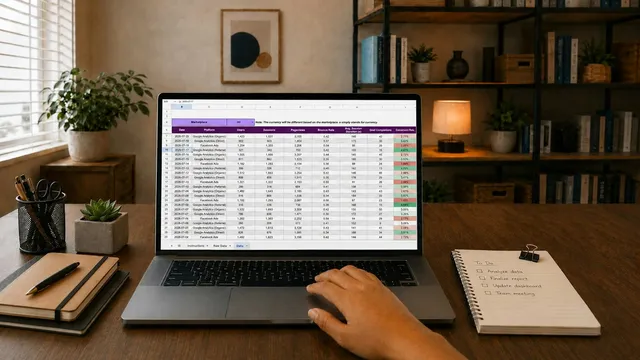
Bring a real report request from a local authority or school to the demo. Common ones include attendance against entitled hours, monthly attendance percentages and lists of pupils by referring agency. If the answer is “you can export and build it in Excel”, you are still running a spreadsheet.
5. Where is our data stored, and who can see it?
You remain responsible for pupil data even when a supplier holds it. Ask:
- Which country the data is hosted in, and with which provider.
- How staff access is controlled, for example by role.
- What security measures are in place, and whether sign-in options such as two-factor authentication are available.
- Whether the supplier keeps a record of who changed what.
The ICO’s guide to data security is a useful checklist for this conversation.
6. Will you sign a data processing agreement?
Under UK GDPR, a supplier processing personal data on your behalf must have a written contract with specific terms. The ICO explains what it must cover in its guidance on contracts between controllers and processors. A reputable supplier will have one ready; hesitation here is a warning sign.
7. How long will it take to get up and running?
Ask for a realistic timeline for a setting your size, and what the supplier needs from you. Will they help import your existing spreadsheets? Who builds the timetable? Can you trial it with your own pupils for a week before committing?
8. Can we make it fit our setting without paying for customisation?
Every setting has its own vocabulary: absence reasons, referral routes, groups, locations. Check whether you can edit your own dropdown lists and settings, or whether every change needs a support ticket or a fee.
9. What does support look like, and who provides it?
Find out:
- How you contact support and how quickly they usually reply.
- Whether you will speak to someone who knows the product well.
- Whether training is included for new staff joining later in the year.
Ask to speak to an existing customer of a similar size. Their experience will tell you more than any brochure.
10. How does the product improve, and do we have a say?
Software that does not change will slowly fall behind your needs. Ask how often updates arrive, whether they cost extra, and how customer feedback shapes what is built next. Ask what is on the roadmap, and treat anything described as “coming soon” as not yet available when you compare options.
What does this look like in practice?
Imagine a tuition centre with 60 learners on one site and a small AP contract for eight pupils at a second site. The manager shortlists three suppliers and sends each the same ten questions by email, plus a sample report request from their local authority. One supplier prices per pupil and the year-three cost is double the others. Another cannot show a report by entitled hours without an export. The third answers everything in writing and offers a trial with real data. The decision almost makes itself.
How PupilDB helps
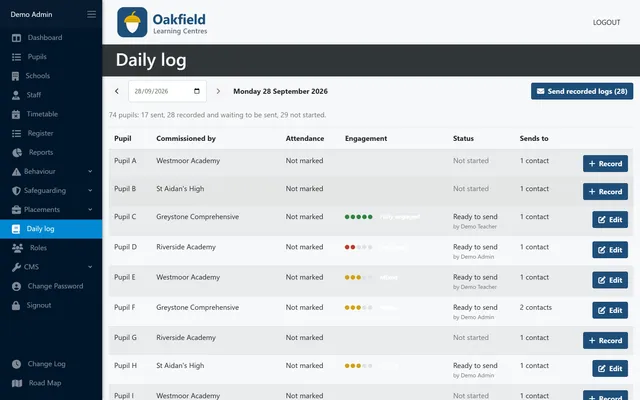
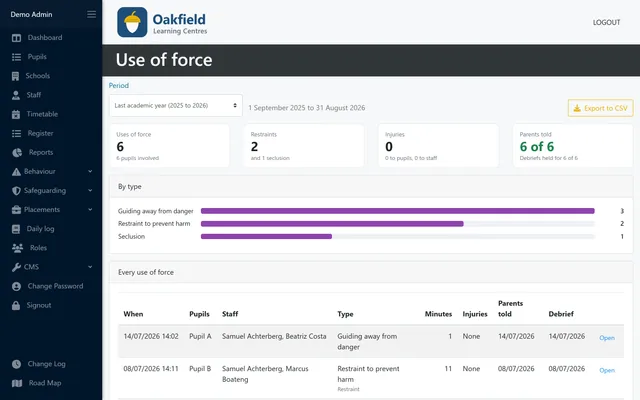
PupilDB is built for small settings such as AP providers, tuition centres, PRUs and small independent schools. It covers pupil records, a multi-centre timetable, registers built from that timetable with your own absence reasons, and reports including attendance against entitled hours. Data is hosted on AWS in the EU (Ireland), and pricing is flat from £150 a month plus VAT, never per pupil, with improvements led by customer feedback included. Some things, such as statutory attendance codes and a parent portal, are not built yet, and we are happy to talk through why PupilDB may or may not fit you, or you can get in touch.