Dashboard
Everything that needs doing, the moment you sign in
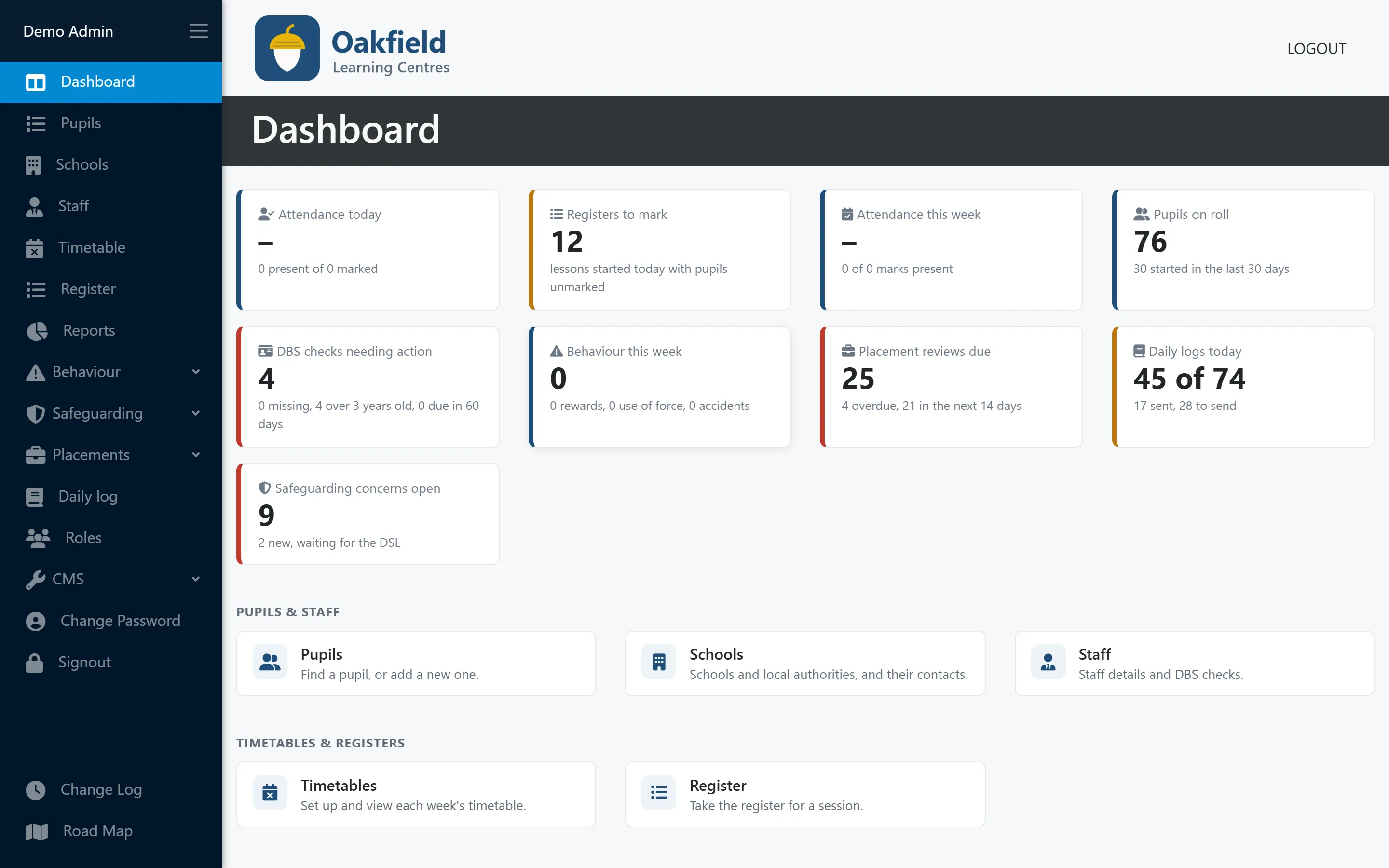
Live tiles answer the first questions of the day: who’s here, which registers are still open and what needs your attention.
What you can do
Dashboard in PupilDB
-
Registers and attendance
Lessons started today with pupils still unmarked, and attendance today and this week.
-
Pupils on roll
How many pupils are on roll, and how many started recently.
-
Placements and daily logs
Placement reviews overdue or due soon, and how many of today’s daily logs are sent.
-
DBS checks
Checks that are missing, older than three years or due soon. Administrators only.
-
Behaviour this week
Incidents, rewards, use of force and accidents so far this week.
-
Open concerns
Open safeguarding concerns and new ones waiting for the DSL. DSLs only.
Dashboard
The first questions of the day, answered
Each person sees the tiles their role allows, so sensitive numbers stay with the people who need them.
- Live when you sign in
- Tiles follow your roles
- Quick links to everything else, grouped by area
Behind every number
Click a tile to see who it means
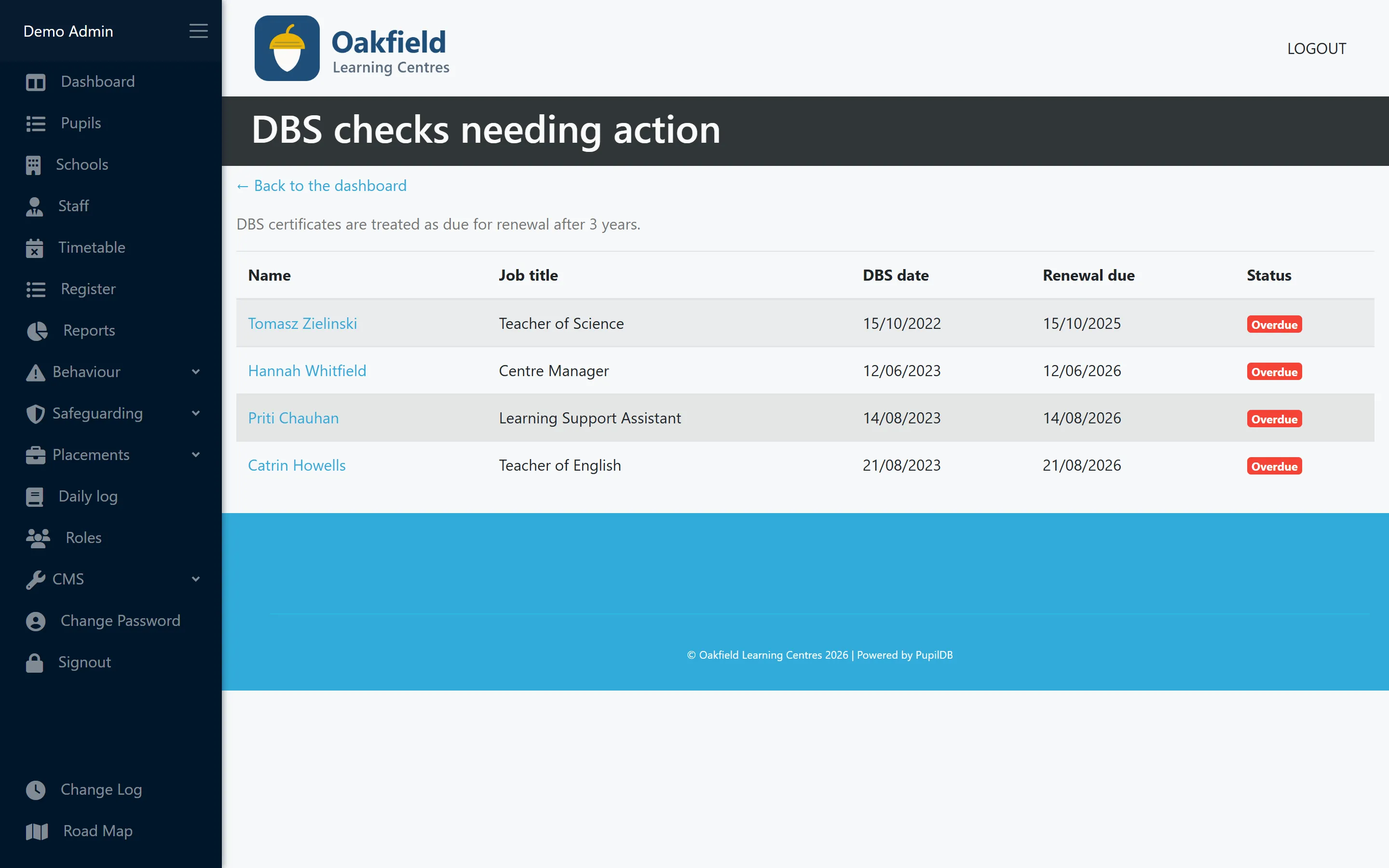
Each tile opens the records behind its number, such as the registers still to mark, pupils absent today or the staff whose DBS check needs action.
- From the number to the names in one click
- Straight through to each record
- The same role rules apply
Who uses this
Especially useful for
Questions
Dashboard: common questions
Can everyone see every tile?
No. DBS checks are shown to administrators, and safeguarding concerns only to your DSL role. Placement and daily log tiles follow those modules’ permissions. Everyone else sees the tiles that apply to them.
More features
Works hand in hand with
-
Pupil records
Contacts, placement details, medical needs, allergies, Looked After Child status and SEN/ALN, with a one-click quick view.
-
Timetabling
A clear weekly grid of teachers and time slots across all your centres, with protection against double-booking.
-
Registers & attendance
Registers built from your timetable. Mark a whole day at once, and let PupilDB chase any unfinished registers for you.
See PupilDB with your own eyes
Book a friendly, no-pressure demo. We’ll show you registers, timetables and pupil records, and answer your questions in plain English.