Daily log
Every pupil’s day, reported before home time
Staff jot down how each pupil’s day went. A lead checks them and sends every report to the commissioning school in one go, before home time.
What you can do
Daily log in PupilDB
-
Quick to record
Engagement from 1 to 5, a short summary of the day and what went well, with the day’s attendance alongside.
-
Notes that stay inside
Notes for staff are kept with the log and never sent.
-
Checked before it goes
A lead checks each report, with a preview of the email, before anything is sent.
-
Sent in one go
Send every checked report at once to each placement’s contacts: the school, local authority, social worker and so on.
-
Counts, never details
A report can say how many incidents and rewards there were that day, never what happened.
-
A record of what was sent
Each report is locked once sent, with who it went to. The pupil’s record shows the last 30 days.
Today’s logs
The whole day on one screen
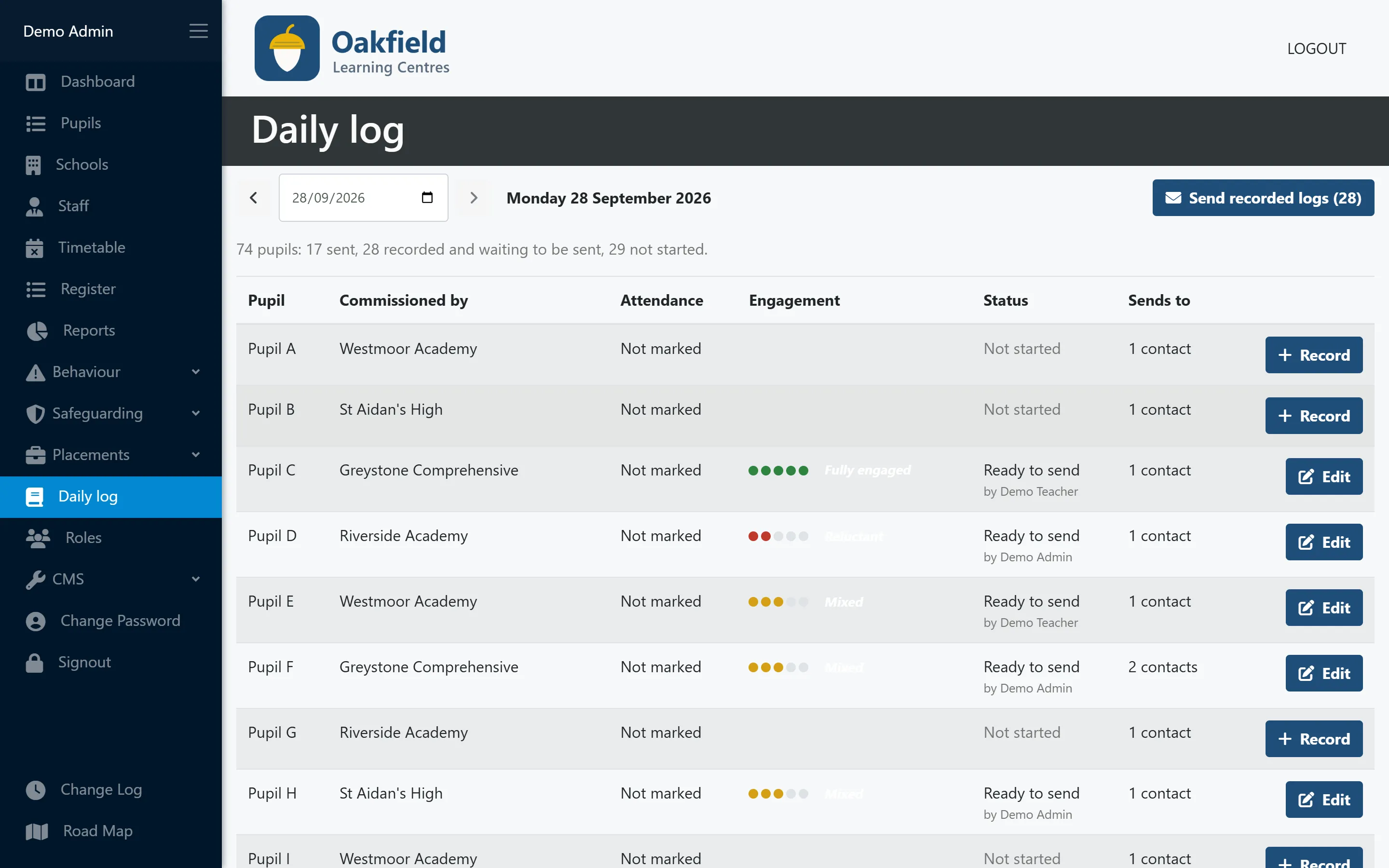
Every placed pupil, who commissioned their placement, how engaged they were and where their report is up to: not started, ready to send or sent.
- Engagement at a glance
- Who each report goes to
- Send every recorded log in one go
Recording the day
See exactly what the school will read
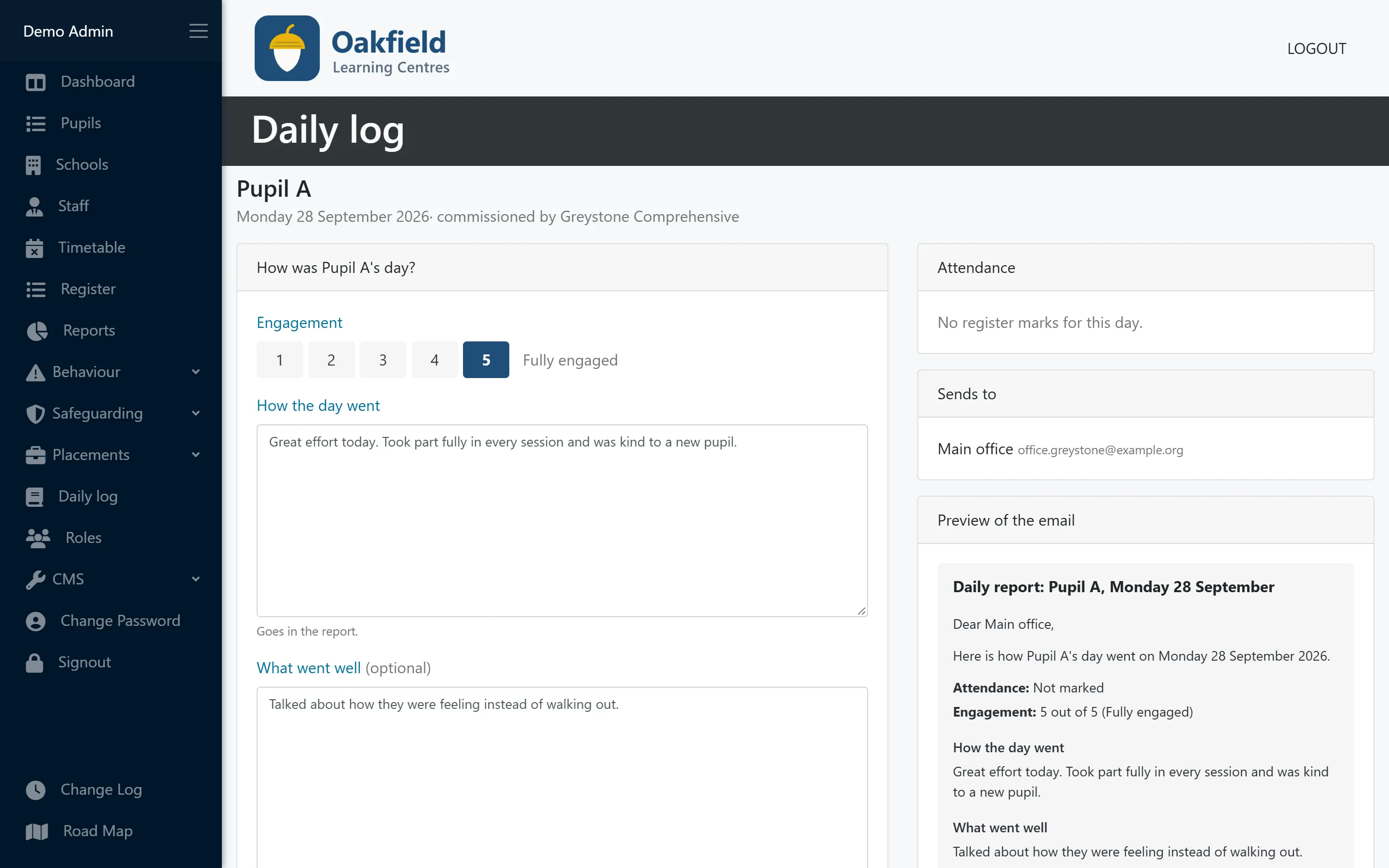
Staff record engagement, a summary and what went well, plus notes for staff that are never sent. The preview shows the email exactly as the school will receive it.
- Engagement from 1 to 5
- Staff-only notes kept separate
- A preview of the email before sending
Sent
A locked record of every report
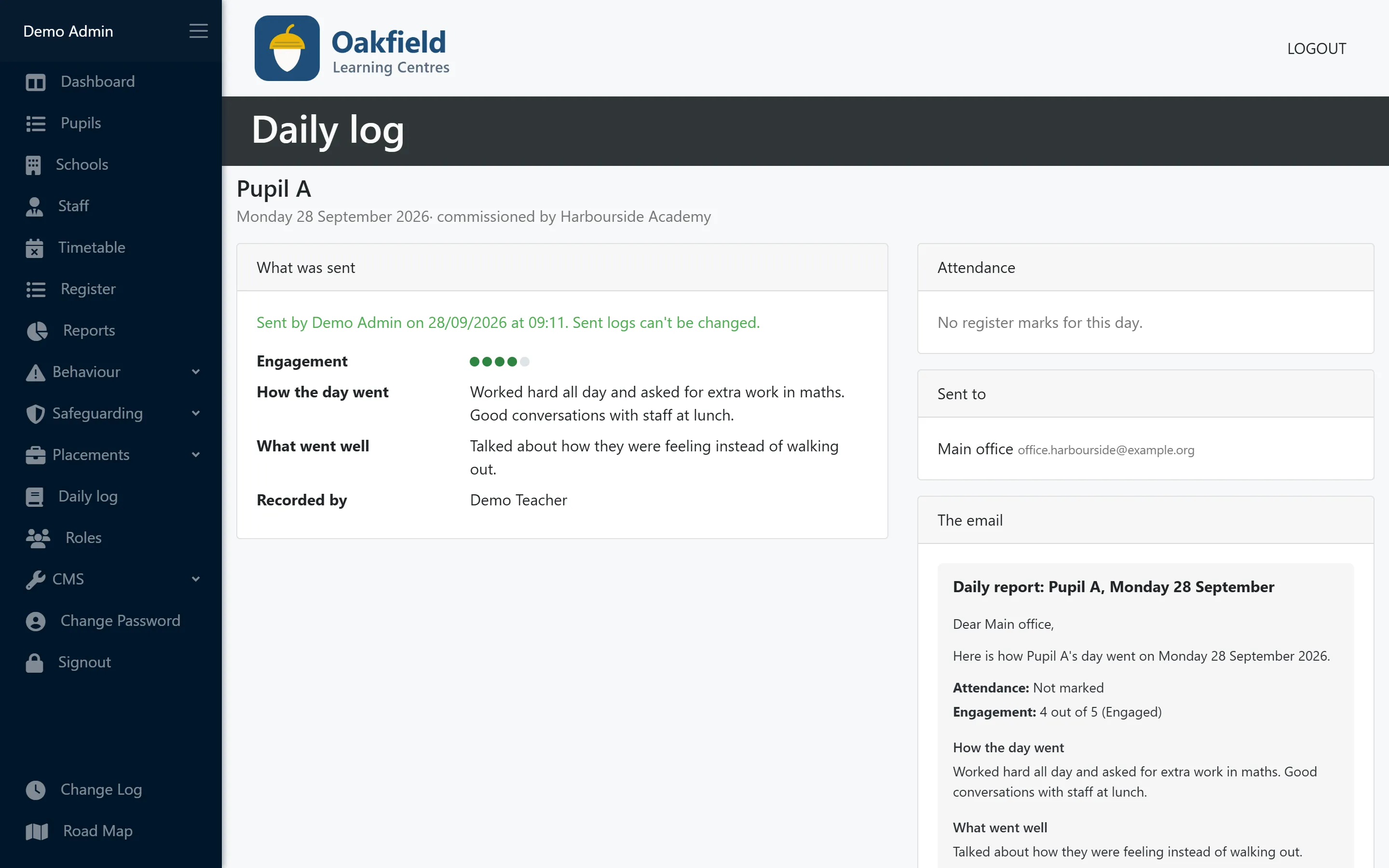
Once a report is sent it can’t be changed, and it shows who it went to and when. If a school asks what they were told, the answer is there.
- Locked once sent
- Recipients and time recorded
- Last 30 days on the pupil’s record
Who uses this
Especially useful for
Questions
Daily log: common questions
Does the daily log send reports automatically?
No, on purpose. A lead checks each report before it goes, then sends the day’s reports in one go.
Do parents get the daily report?
No. Reports go by email to the placement’s professional contacts, such as the commissioning school, local authority or social worker. Parent communication is on our roadmap.
Do schools need to sign in to read it?
No. Each contact receives an email. When a contact leaves, mark them as having left: their history is kept and they stop receiving reports.
Does the report include behaviour incidents?
It can mention how many incidents and rewards the pupil had that day, never the details. Anything a school needs to know about an incident is shared in the way your policy sets out.
More features
Works hand in hand with
-
Pupil records
Contacts, placement details, medical needs, allergies, Looked After Child status and SEN/ALN, with a one-click quick view.
-
Timetabling
A clear weekly grid of teachers and time slots across all your centres, with protection against double-booking.
-
Registers & attendance
Registers built from your timetable. Mark a whole day at once, and let PupilDB chase any unfinished registers for you.
See PupilDB with your own eyes
Book a friendly, no-pressure demo. We’ll show you registers, timetables and pupil records, and answer your questions in plain English.