Behaviour & incidents
Behaviour, incidents and use of force, recorded properly
One log for behaviour, rewards, accidents and any use of force. Staff record it once, leaders see the trends, and parents get a clear written record.
What you can do
Behaviour & incidents in PupilDB
-
One log
Behaviour, rewards, accidents and use of force, each with where, when, who and what was done.
-
Your categories and points
Set points for each behaviour and reward category and see every pupil’s net points.
-
Use of force in detail
Reasons, what was tried first, technique, duration, restraint or seclusion, SEND needs, injuries and debrief.
-
A copy for parents
A plain-English parent copy with your logo. Print it or save it as a PDF from your browser.
-
Trends and reports
Incidents per week by type, behaviour by pupil, every use of force and an accident log, for any term or year.
-
The right people only
Roles decide who can record incidents and who can see use-of-force records.
Trends
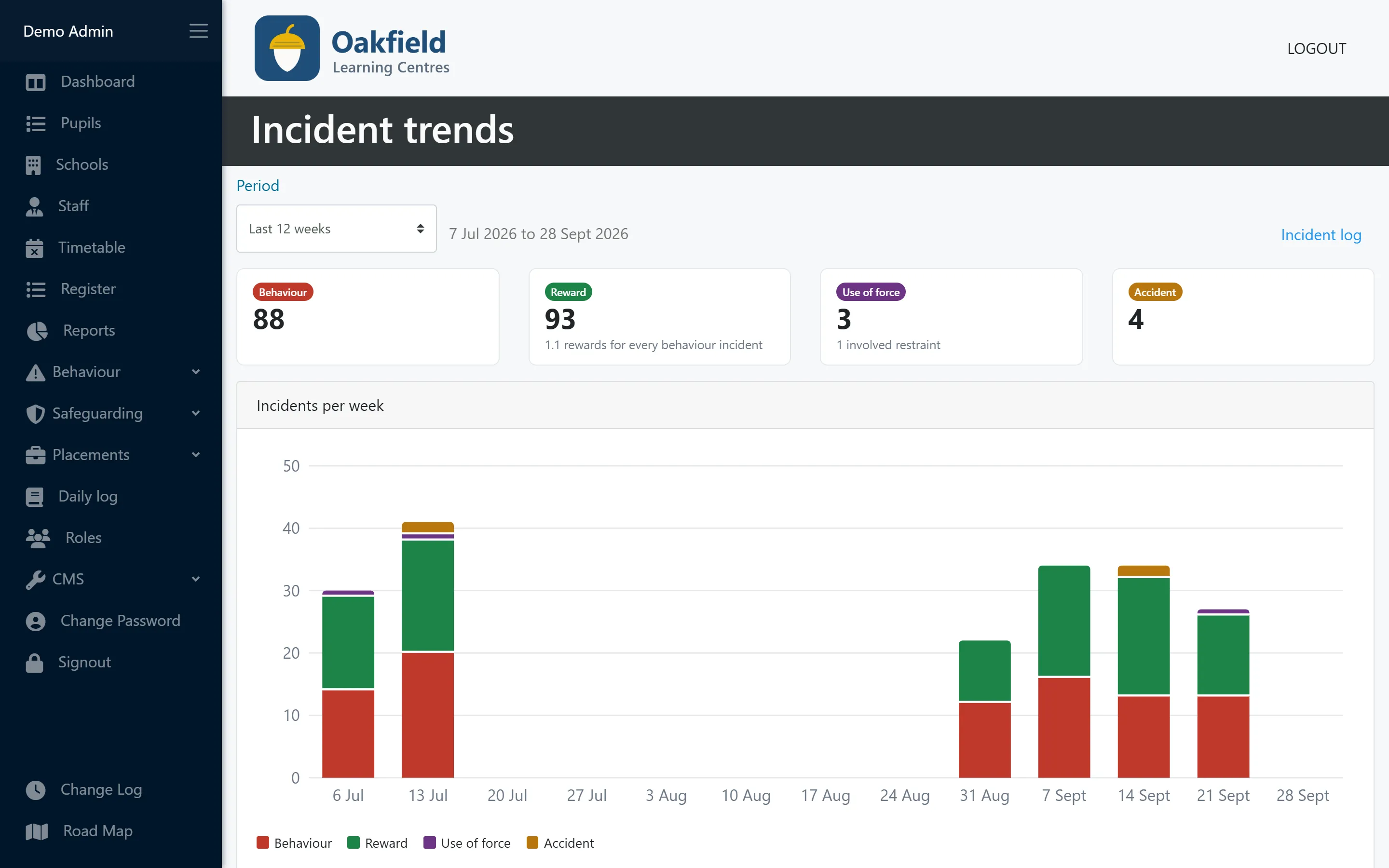
See the pattern, not just the incident
Behaviour, rewards, use of force and accidents per week, with totals for the period. Spot a hard Monday or a pupil turning a corner.
- Last 12 weeks or this academic year
- Rewards compared with behaviour
- How many use-of-force incidents involved restraint
Use of force
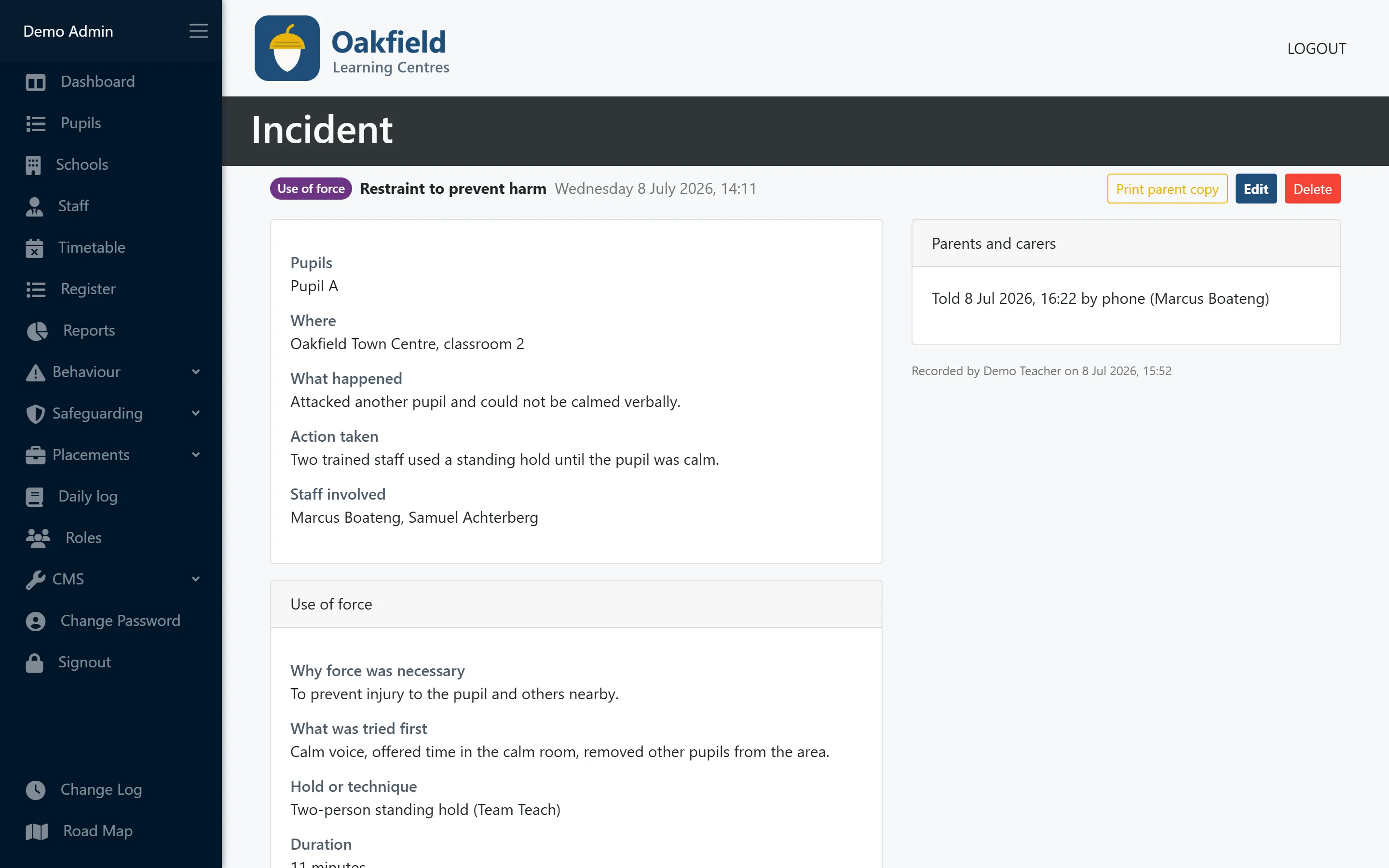
A structured record when staff have to use force
Staff are asked for the details that matter, so nothing is left out on a difficult day.
- Why force was necessary and what was tried first
- Hold or technique, duration, restraint or seclusion
- SEND needs, injuries, support afterwards and debrief
Parent copy
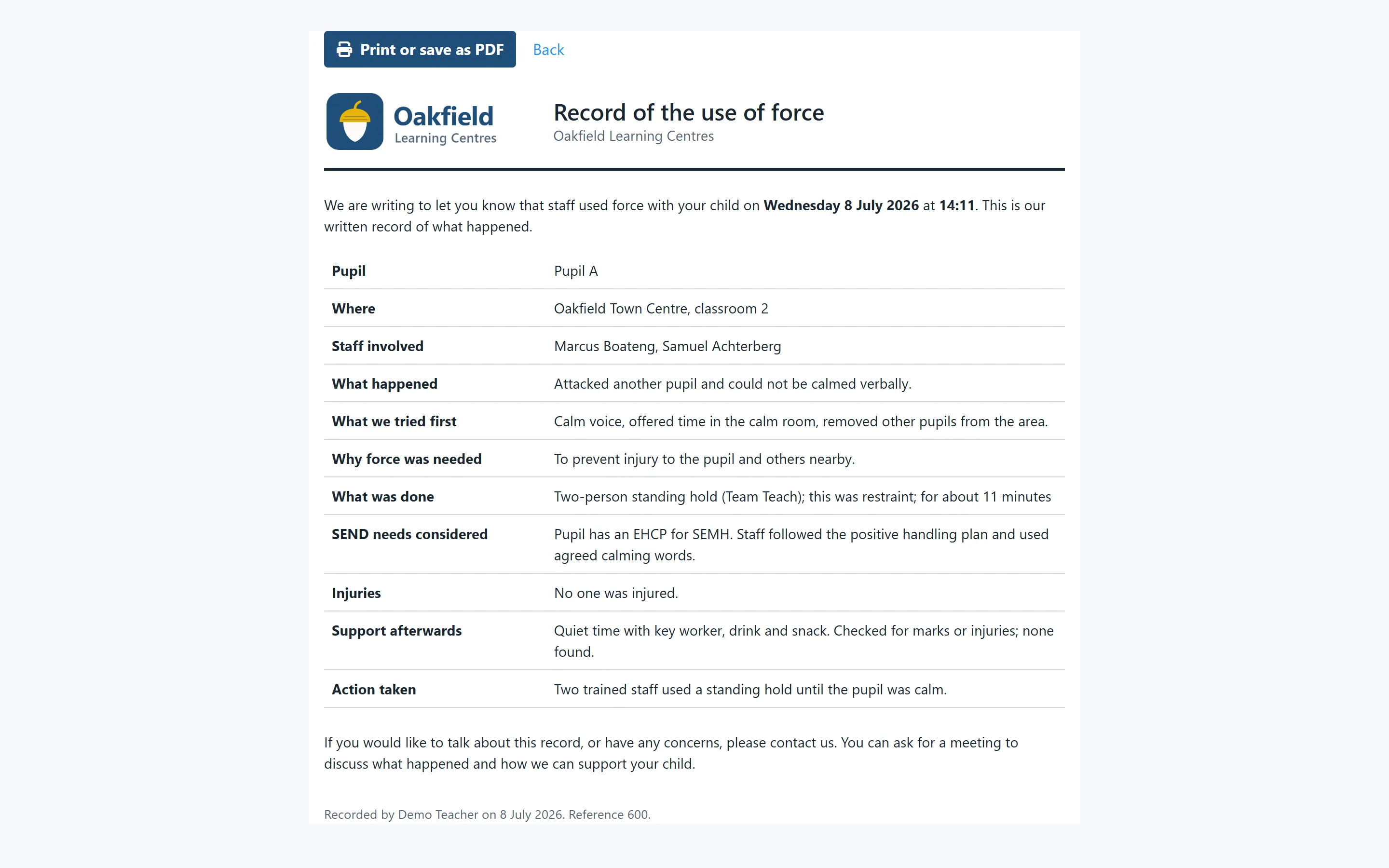
A clear written record for parents
Every use-of-force record has a printable parent copy with your logo, written in plain language and inviting parents to talk it through.
- Print, or save as PDF from your browser
- Your setting’s name and logo
- Written for parents, not for staff
Use of force report
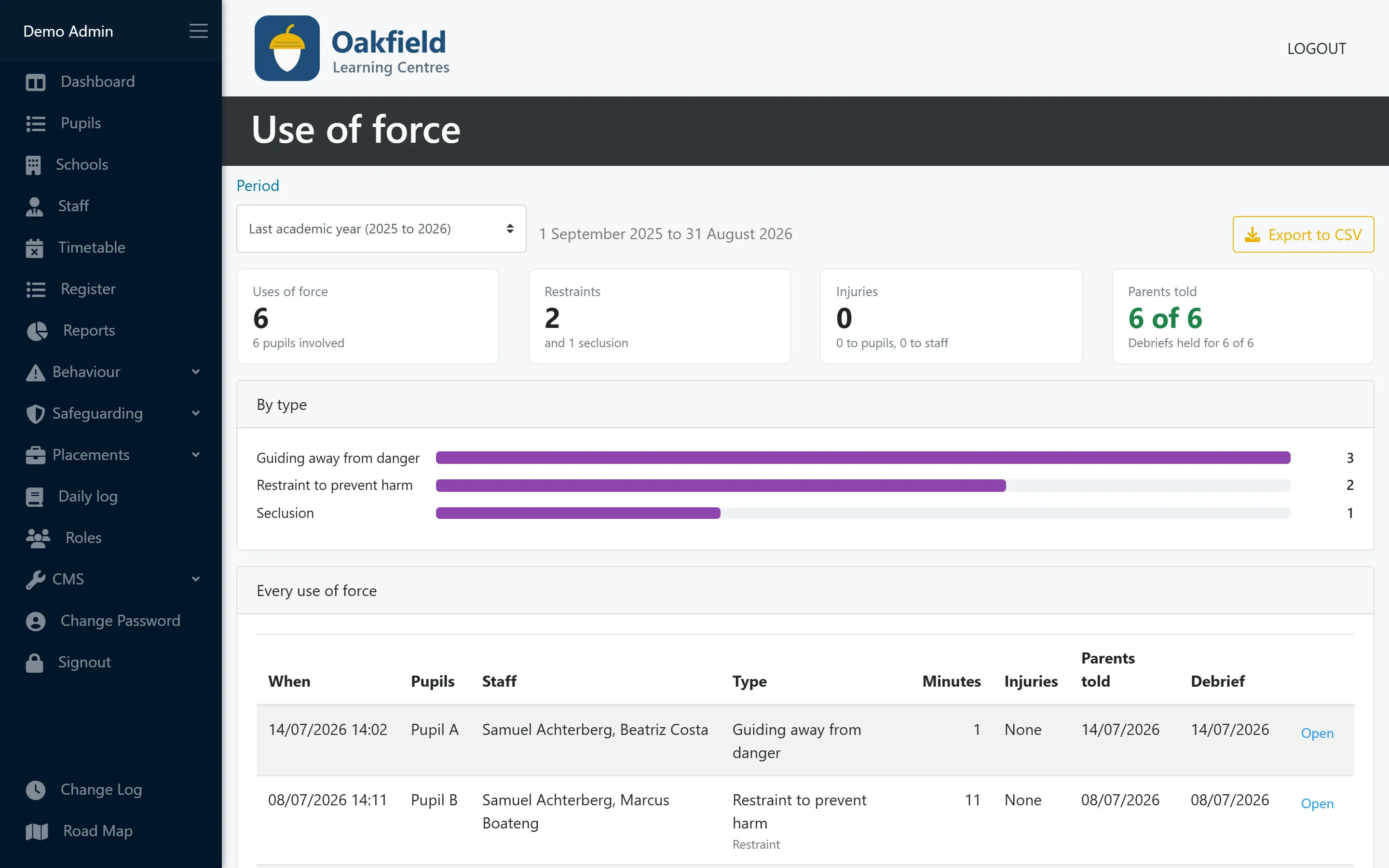
Every use of force, for the term or the year
See how often force was used, how many were restraints, any injuries, and whether parents were told and debriefs held. Only staff allowed to see use-of-force records can open it.
- This term, last term, a whole year or dates you choose
- Parents told and debriefs held, at a glance
- Export to CSV
Who uses this
Especially useful for
Questions
Behaviour & incidents: common questions
Does this make our use of force recording compliant?
PupilDB gives you a structured place to record the details, but compliance depends on your policy and practice. Check the current guidance for your nation: the DfE’s guidance in England, or the Welsh Government’s guidance on restrictive practices in Wales.
Can we export incidents?
Yes. Filter the incident log by type, category, dates or pupil and export it to CSV. The behaviour by pupil, use of force and accident reports export to CSV too.
Does it help with RIDDOR?
The accident log records first aid, hospital visits and whether an accident is RIDDOR-reportable, and flags any that haven’t been reported yet. You still report to the HSE yourself.
Does it include a body map?
Not today. Staff describe any injuries in the record.
More features
Works hand in hand with
-
Pupil records
Contacts, placement details, medical needs, allergies, Looked After Child status and SEN/ALN, with a one-click quick view.
-
Timetabling
A clear weekly grid of teachers and time slots across all your centres, with protection against double-booking.
-
Registers & attendance
Registers built from your timetable. Mark a whole day at once, and let PupilDB chase any unfinished registers for you.
See PupilDB with your own eyes
Book a friendly, no-pressure demo. We’ll show you registers, timetables and pupil records, and answer your questions in plain English.