Placements & outcomes
Where do your pupils go next?
Record who commissioned each placement and what it’s for, review progress every six weeks, and see where your pupils go next, and whether it lasts.
What you can do
Placements & outcomes in PupilDB
-
Who commissioned it, and why
The commissioning school, local authority or other body, the reason, the type of placement, dates, days and hours.
-
Targets and reviews
Targets with red, amber and green progress, reviewed every six weeks, with a printable record of each review.
-
Where pupils go next
Back to their school, a new school, special school, college, work and more, with a follow-up about six months later.
-
Contacts entered once
Inclusion leads, social workers and virtual school heads, kept in one list and picked on each placement.
-
A page for each commissioner
Their pupils’ attendance this term, hours, targets and next reviews, printable for your termly meeting.
-
Figures for invoicing
What to invoice each school or local authority each month, worked out from attendance and exported to CSV.
Outcomes
See where your pupils went, and whether it lasted
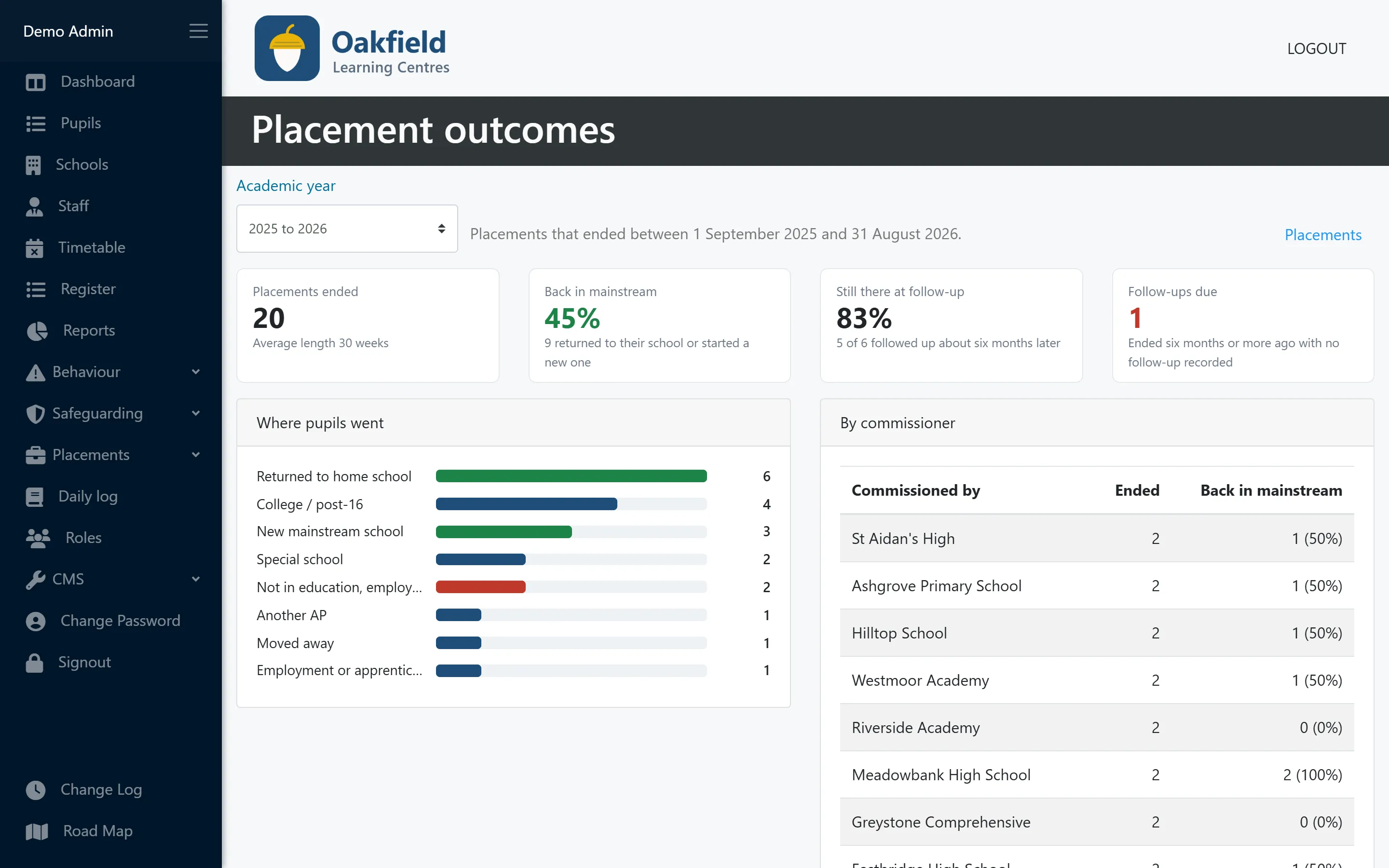
Record where each pupil goes when a placement ends. The outcomes report shows, for each academic year, how many went back into mainstream education, where everyone else went, and how many were still there when you followed up.
- Percentage back in mainstream
- Percentage still there at the six-month follow-up
- Destinations and results for each commissioner
The placement
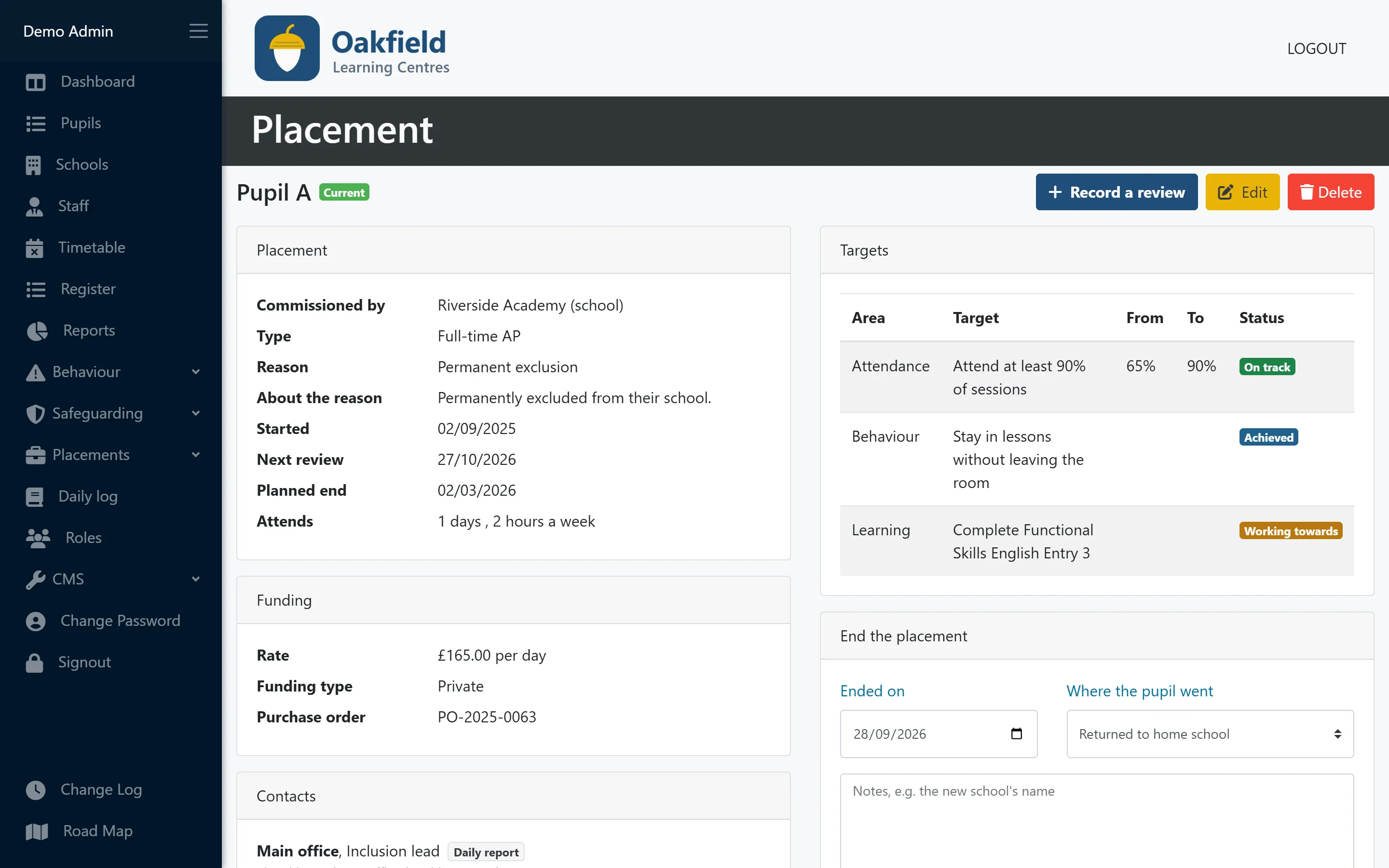
Everything about a placement on one page
Who commissioned it and why, the targets and how they’re going, the people involved and every review, in date order. Record a review in a few minutes and print a copy for everyone who was there.
- Targets on track, achieved or working towards
- Reviews every six weeks, with overdue ones in red
- Funding only visible to staff with the finance permission
Commissioner summary
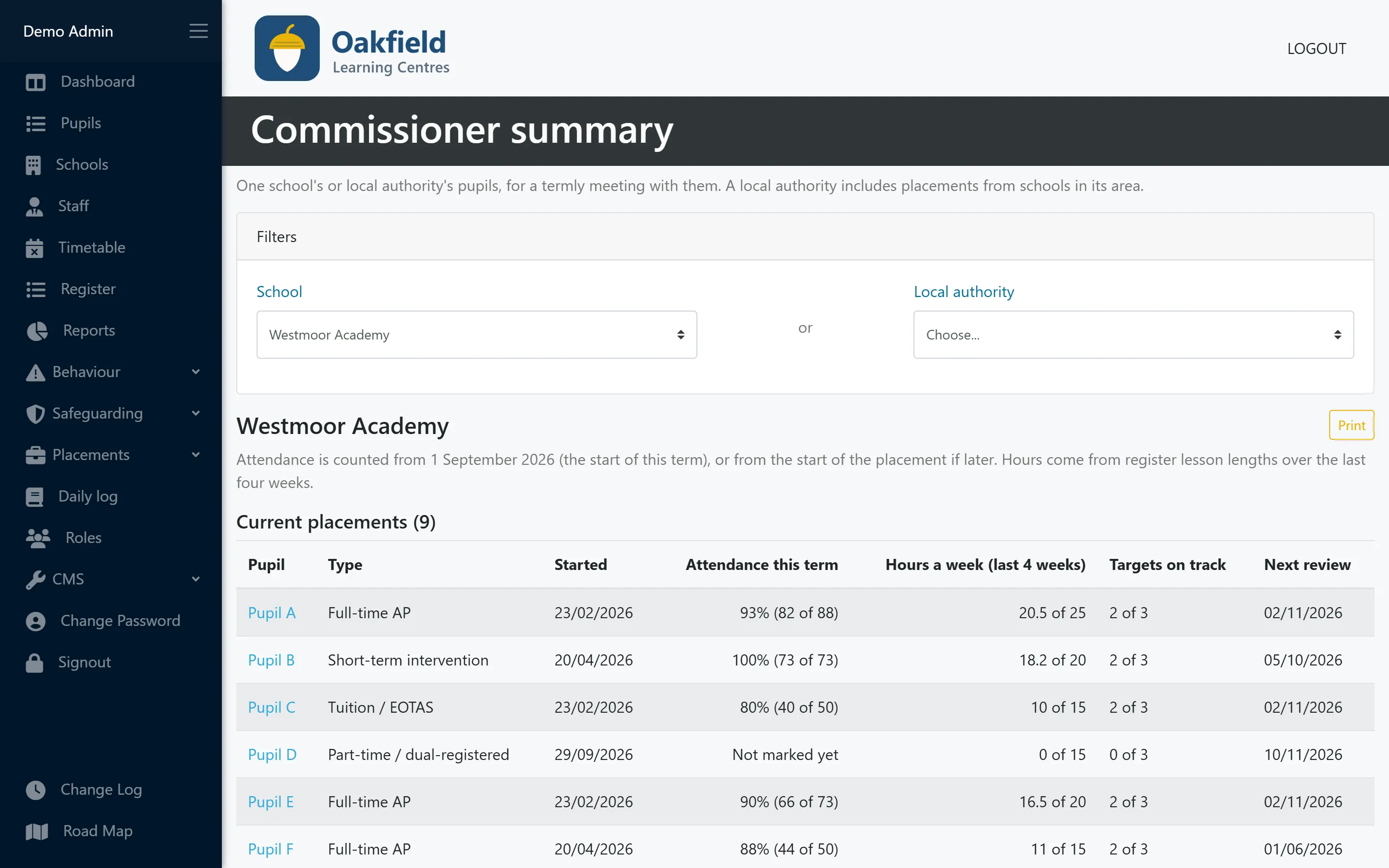
One page for your termly meeting with each school
Take one page to your termly meeting with each school: their pupils’ attendance, targets and next reviews. A local authority’s summary includes placements from the schools in its area.
- Attendance this term and hours a week
- Targets on track and the next review
- Print it or save it as PDF from your browser
Invoicing figures
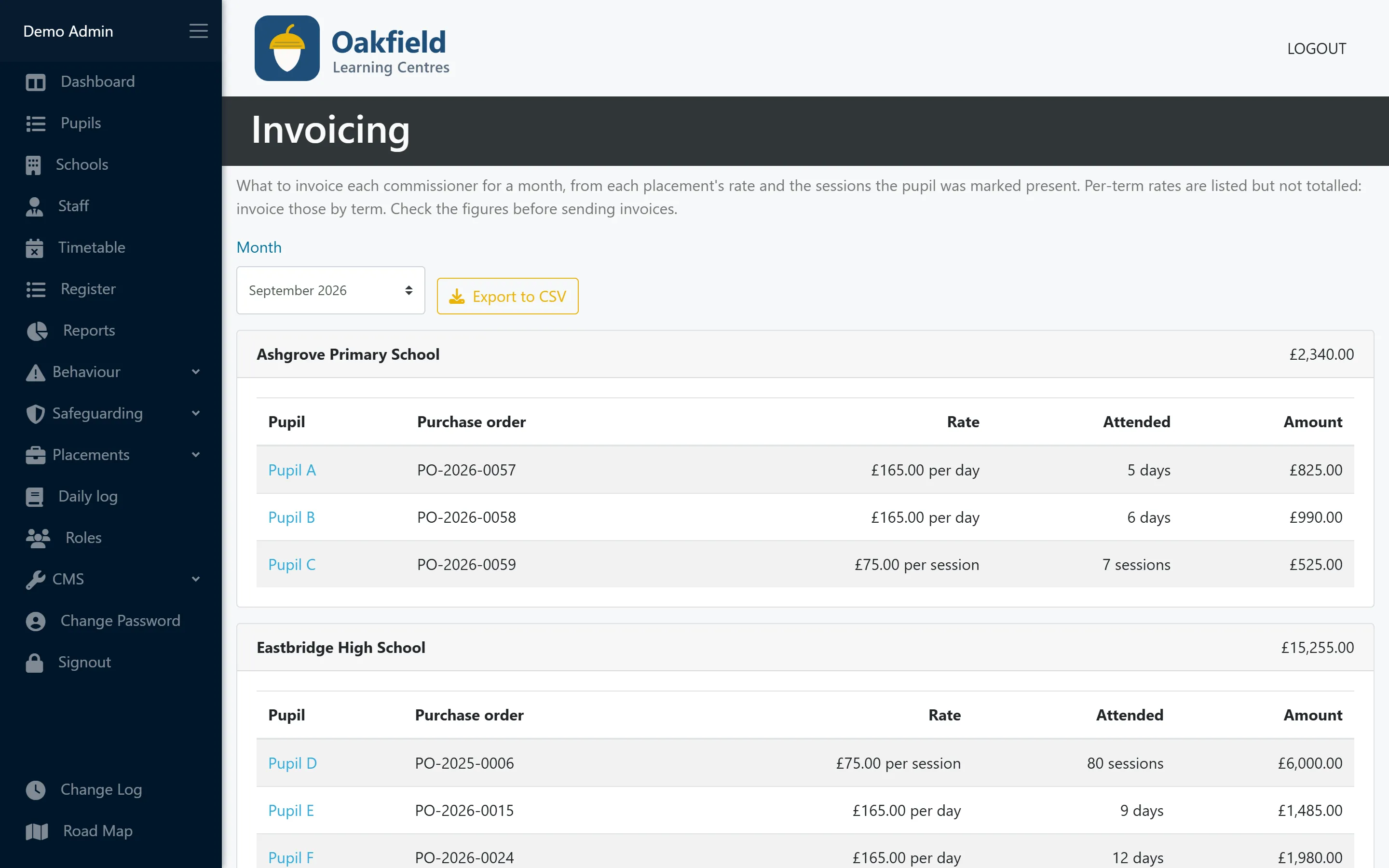
Know what to invoice each commissioner
See what to invoice each school or local authority each month, worked out from each placement’s rate and the sessions the pupil attended, ready for your accounts software.
- Rates per session, day or week
- Purchase order numbers alongside
- Export to CSV
Who uses this
Especially useful for
Questions
Placements & outcomes: common questions
Does PupilDB send invoices?
No. PupilDB works out what to invoice each commissioner each month and exports the figures to CSV for your accounts software. Check them before you invoice. Creating and sending invoices and taking payments are on our roadmap.
How is “back in mainstream” worked out?
From the destination you record when each placement ends: pupils who went back to their own school or started at a new mainstream school. The follow-up about six months later shows whether the move lasted.
Can commissioning schools sign in to see their pupils?
No. Commissioners don’t sign in to PupilDB. Print the commissioner summary for your termly meeting, and use the daily log to email each pupil’s day to their school once a lead has checked it.
Who can see funding and rates?
Only staff with the placements finance permission. Everyone else can see the placement, its targets and reviews without the rate, funding type or purchase order.
More features
Works hand in hand with
-
Pupil records
Contacts, placement details, medical needs, allergies, Looked After Child status and SEN/ALN, with a one-click quick view.
-
Timetabling
A clear weekly grid of teachers and time slots across all your centres, with protection against double-booking.
-
Registers & attendance
Registers built from your timetable. Mark a whole day at once, and let PupilDB chase any unfinished registers for you.
See PupilDB with your own eyes
Book a friendly, no-pressure demo. We’ll show you registers, timetables and pupil records, and answer your questions in plain English.