Safeguarding
Safeguarding concerns, seen by the right people
Any member of staff can raise a concern in moments. Your DSL and deputies manage it, with every action in a chronology and a record of who has looked.
What you can do
Safeguarding in PupilDB
-
Raise a concern in moments
Pupil, category, what was seen or heard, when, where and what was done at the time.
-
DSL-only by default
Only your DSL and deputies see concerns, not even other administrators unless you add them.
-
Decisions and actions
Status, risk, who it’s assigned to, and every referral, call, meeting and note.
-
A chronology per pupil
All of a pupil’s concerns and actions in date order, printable and marked confidential.
-
Who has looked
Each concern shows who opened it and when. CSV exports are logged too.
-
Alerts without details
DSLs get an email when a concern is raised. No names or details are sent.
Concerns
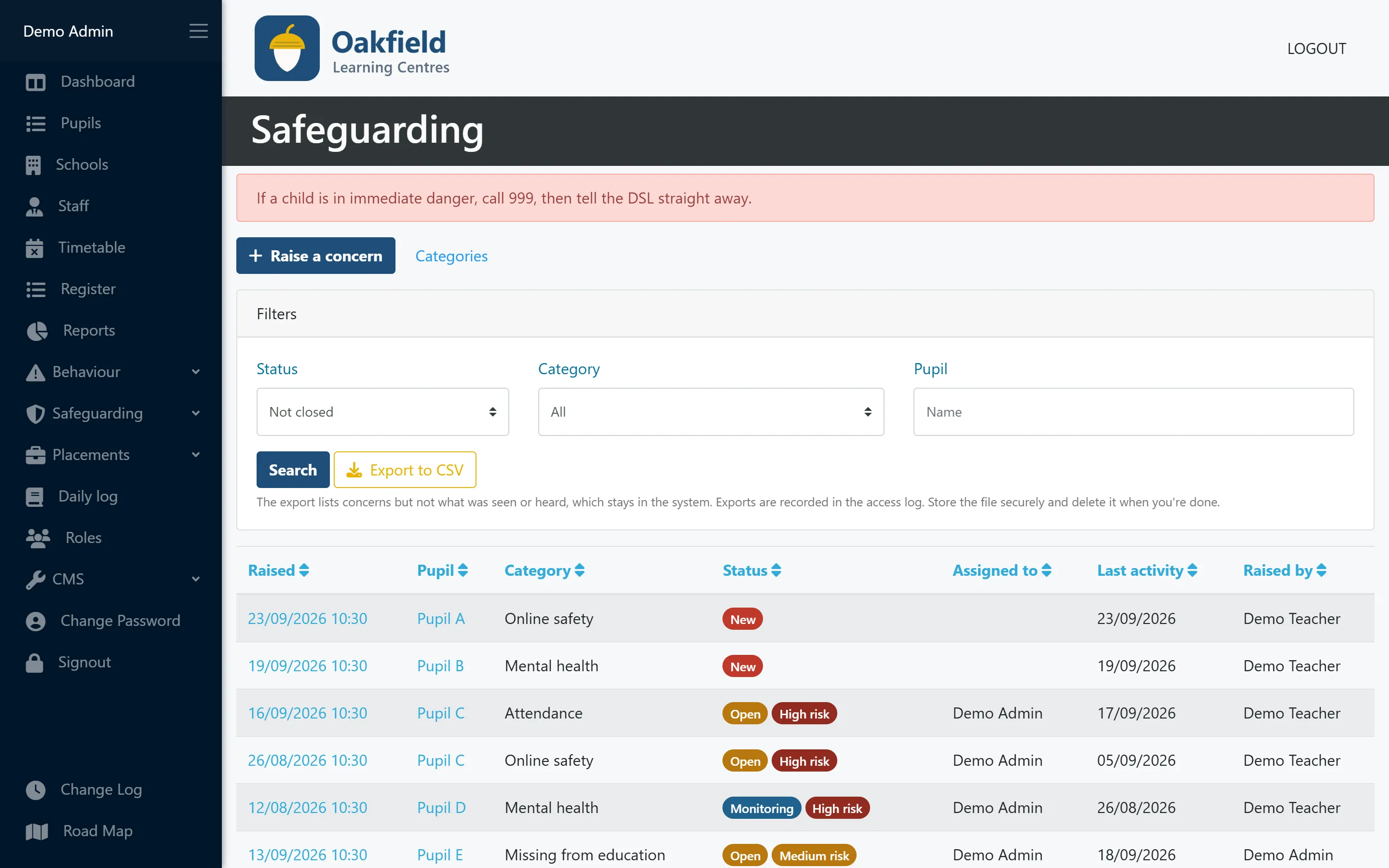
Every open concern in one list
Status and risk at a glance, who each concern is assigned to and when it last moved on.
- Filter by status, category or pupil
- Sort by date, status or last activity
- DSL-only CSV export, without the narrative
The DSL’s view
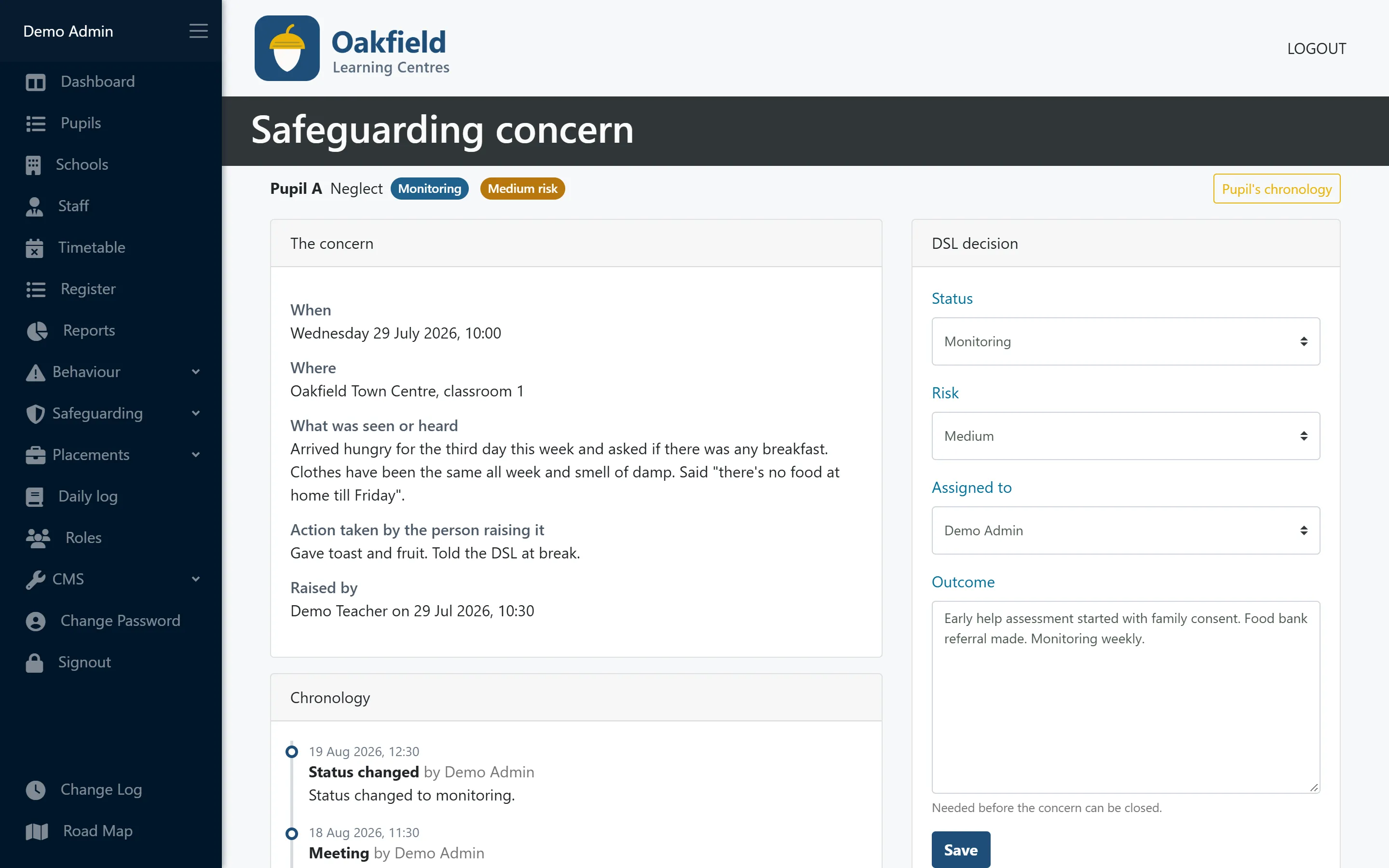
Decide, act and record it all in one place
The concern, the DSL’s decision and a chronology of actions side by side. An outcome is needed before a concern can be closed.
- Status, risk and assigned DSL
- Referrals, early help, police, LADO and meetings
- Outcome recorded before closing
For governors
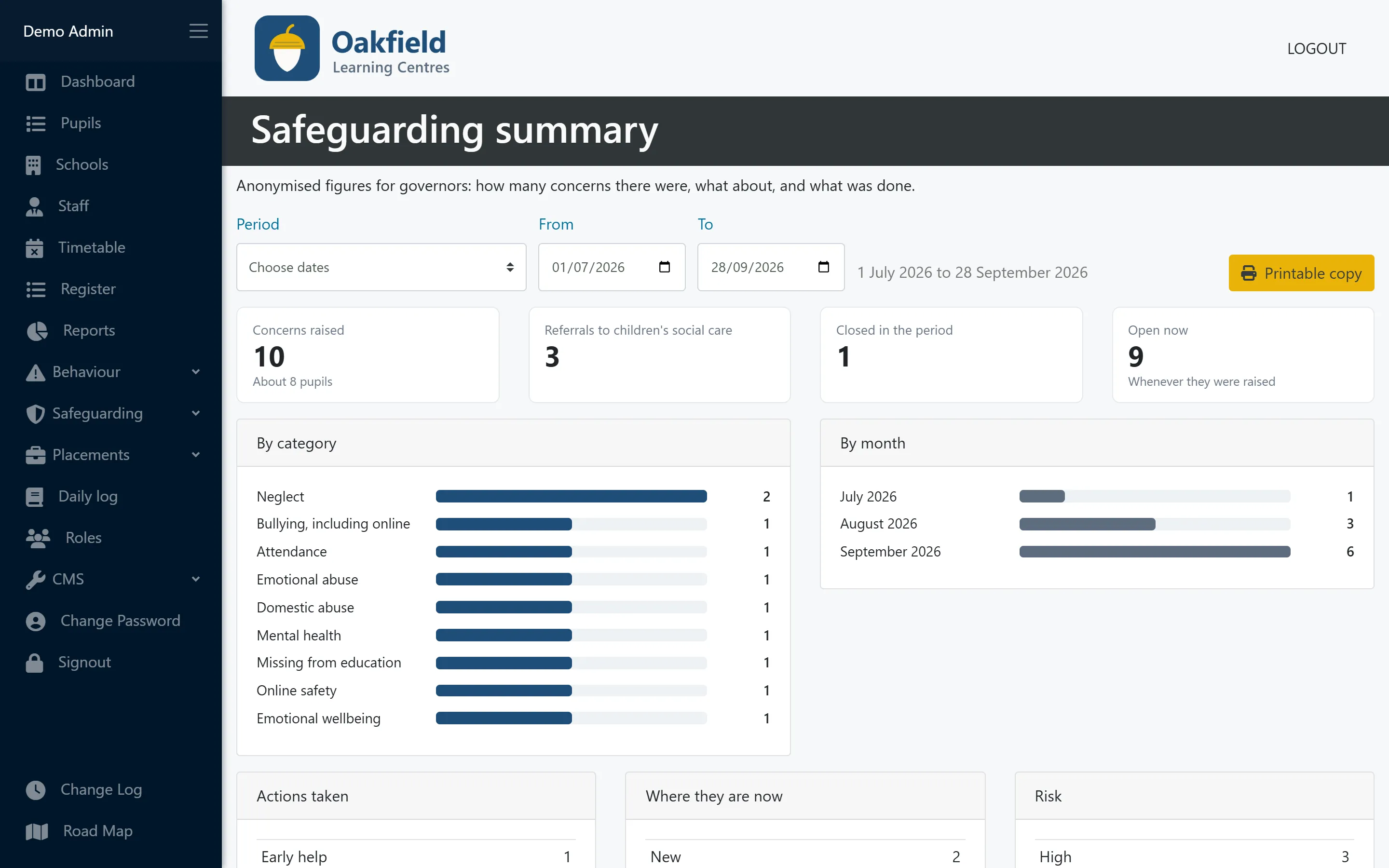
The figures governors need, without a single name
A safeguarding summary for any term or year: concerns by category and month, where they are now, risk, referrals and early help. Print it for the governors’ pack.
- Anonymised figures only
- Only your DSL and deputies can open it
- Printable copy
Who uses this
Especially useful for
Questions
Safeguarding: common questions
Does PupilDB replace CPOMS?
PupilDB includes safeguarding concern logging, so smaller settings may not need a separate tool. It doesn’t connect to CPOMS or other safeguarding systems.
Can administrators see safeguarding concerns?
Not by default. Only people in your DSL role can see and manage concerns. You can add an administrator to that role if your policy says they should have access.
What can we give governors?
The safeguarding summary gives anonymised figures for governors: concerns by category, month, status and risk, plus referrals and early help. In a small setting small numbers can still identify a pupil, so your DSL checks the figures before sharing them.
Is there a full change history?
Each safeguarding concern logs who has viewed it. A change history across all records is on our roadmap.
More features
Works hand in hand with
-
Pupil records
Contacts, placement details, medical needs, allergies, Looked After Child status and SEN/ALN, with a one-click quick view.
-
Timetabling
A clear weekly grid of teachers and time slots across all your centres, with protection against double-booking.
-
Registers & attendance
Registers built from your timetable. Mark a whole day at once, and let PupilDB chase any unfinished registers for you.
See PupilDB with your own eyes
Book a friendly, no-pressure demo. We’ll show you registers, timetables and pupil records, and answer your questions in plain English.