Recording behaviour, use of force and safeguarding concerns properly is the first step. The next is being able to answer questions about them: how often was force used this term, which pupils are struggling, and what do governors need to know?
PupilDB has four new reports to help, and a tidier Reports page to find them on.
Four new reports
Each one covers this term, last term, this or last academic year, or dates you choose.
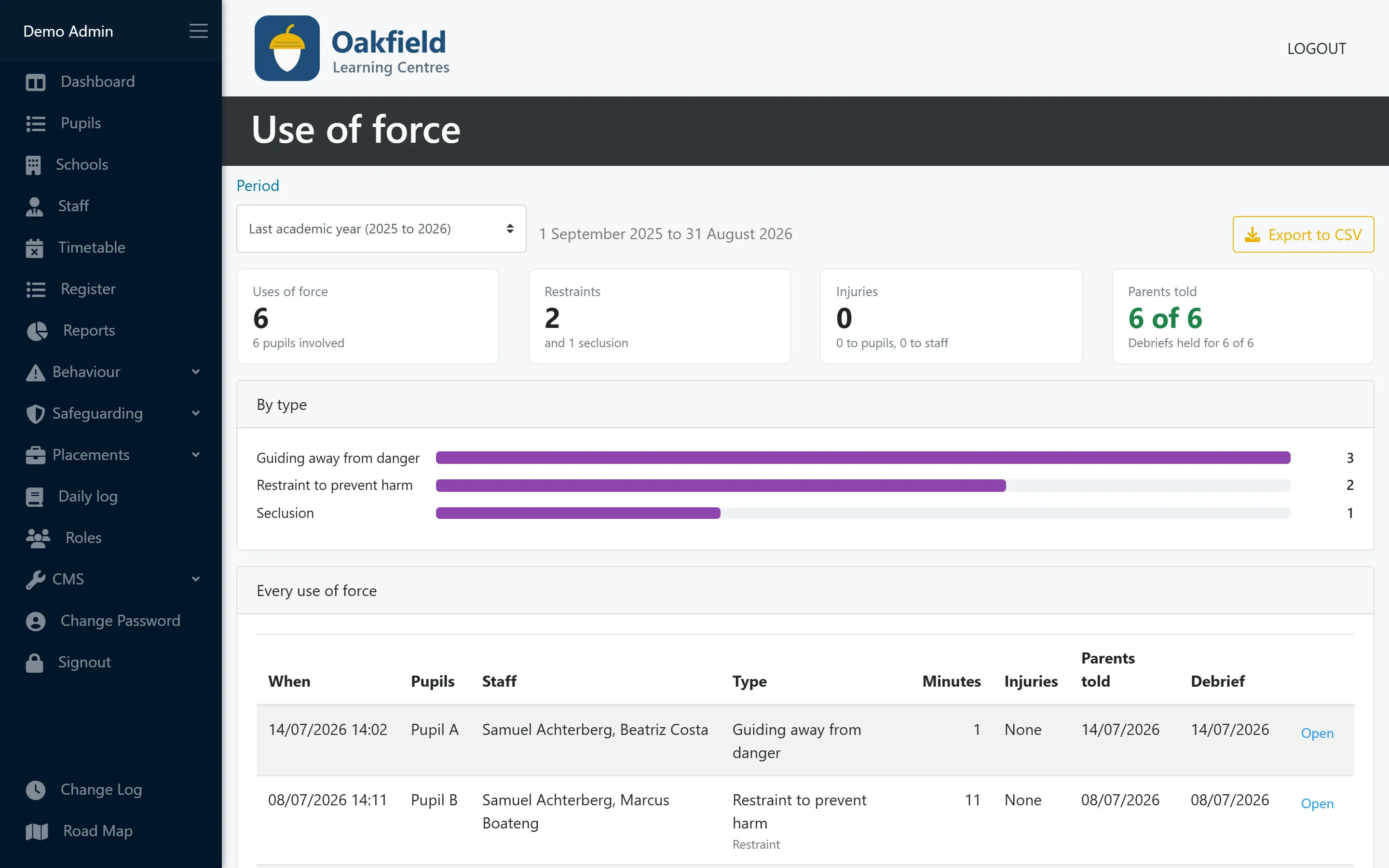
- Use of force. Every use of force in the period, how many were restraints or seclusions, any injuries to pupils or staff, and whether parents were told and debriefs held. Only staff allowed to see use-of-force records can open it. Export to CSV.
- Behaviour by pupil. Each pupil’s behaviour incidents, rewards and points, with the lowest net points first, so you can see who needs support. Export to CSV.
- Accident log. Accidents, first aid given, hospital visits and whether each is RIDDOR-reportable, flagging any that haven’t been reported yet. Export to CSV.
- Safeguarding summary. Anonymised figures for governors: concerns by category and month, where they are now, risk, referrals to children’s social care and early help. Print it for the governors’ pack.
A tidier Reports page
Every report is now a compact card with a one-line description of what it answers, grouped by area: Pupils, Attendance, Behaviour, Safeguarding and Placements. Reports for parts of PupilDB your setting doesn’t use are hidden, so the page only shows what’s relevant to you.
How PupilDB helps
The new reports are included in every PupilDB plan at no extra cost. See more on the reports, behaviour and incidents and safeguarding pages, or book a demo to see them with fictional demo data.