Running two or three centres is when timetabling stops being a grid on the office wall and becomes a daily puzzle. One tutor ends up booked at both sites on a Wednesday, a new pupil’s taxi arrives before their group exists, and nobody is quite sure which version of the spreadsheet is the real one.
Keep one master weekly timetable covering every site. Give every session a site, room, member of staff, group and time. Block travel time between sites, hold pending places for pupils who have not started, plan cover in advance, and tell staff, pupils and transport about every change the same day.
How should you structure the weekly grid?
Start with a repeating weekly pattern, not a blank page each Monday. For each site, lay out:
- Time slots that match your actual day, such as morning, midday and afternoon sessions, or hour-long blocks for tuition.
- Rooms or spaces, including smaller breakout rooms used for one-to-one work.
- Sessions, each with a subject or activity, a member of staff and the pupils in it.
Keep all sites in the same system so you can see a single person’s week across every centre. A separate spreadsheet per site is the most common cause of double-booking, because no one sheet shows the whole picture.
How do you manage staff who work across sites?
Staff who travel between centres need three things written into the timetable:
- Home site and days: which centre they are based at on which days.
- Travel time: a blocked slot between sessions at different sites, based on the real journey at that time of day.
- Unavailability: training days, part-time days off, appointments and leave, marked in advance.
Before adding any session, check the member of staff across the whole week, not just the site you are editing. If a tutor teaches English at the town centre site at 10am, they should not appear at the rural site at 10:30.
How do you plan small groups and one-to-one sessions?
AP and tuition groups are small and change often, so the group matters as much as the room. Useful rules of thumb:
- Set a maximum group size for each type of session and stick to it.
- Note pupils who should not be grouped together, and check this before adding someone.
- Keep one-to-one sessions visible on the same grid, because they tie up a member of staff just as a group does.
Each pupil should also have a personal timetable showing where they are, when and with whom. That matters for more than organisation. Keeping children safe in education says schools placing pupils in AP should always know where a child is based during school hours, including any satellite sites. A clear personal timetable is how you answer that question for a commissioning school.
What should you do with pending places?
Referrals rarely start on a Monday. When a place is agreed but the pupil has not yet started, add them to the timetable as a pending place. This keeps the seat reserved, lets you plan staffing and group size, and stops the slot being offered to someone else.
Confirm the place when the start date, transport and referral paperwork are in place. Tell the tutor who is joining and anything they need to know first, such as medical needs or a support plan.
How do you cover a tutor who is off?
Cover goes wrong when it is invented at 8:15am. Plan for it:
- Keep a short list of staff who can cover each subject and site.
- When someone is off, mark them unavailable for the affected sessions first, so every gap is visible.
- Swap in the cover teacher for each session, and check they are not already booked elsewhere at that time.
- Brief the cover teacher on pupils’ needs, medical information and any behaviour plans before the session.
If there is no suitable cover, decide early whether to merge a group, move a session or cancel, and tell families and transport straight away.
How do transport arrangements affect the timetable?
For many AP pupils, the taxi or minibus is part of the timetable. A session that moves by half an hour can leave a pupil waiting outside a closed building. Record each pupil’s transport arrangements, including the provider and pick-up times, and check any change to a session start or finish time against them. When a pupil moves site for the day, the transport has to move too.
How should you communicate changes?
Every change should reach four groups the same day: the staff affected, the pupils, their parents or carers, and transport. Keep a simple routine:
- Make the change in the master timetable first, so there is one source of truth.
- Tell staff through their own timetable view rather than a separate message that can be missed.
- Phone or message families and transport about any change to times or sites.
- Note the change and the reason on the register for that session.
Take a fictional example: a tuition centre that runs a town centre site and a village hall site in Worcestershire. Their maths tutor, who works at both, was booked into overlapping Thursday sessions twice in one half term. The office manager merged the two site spreadsheets into one weekly grid, added a 45-minute travel block between sites, and the overlaps stopped.
How PupilDB helps
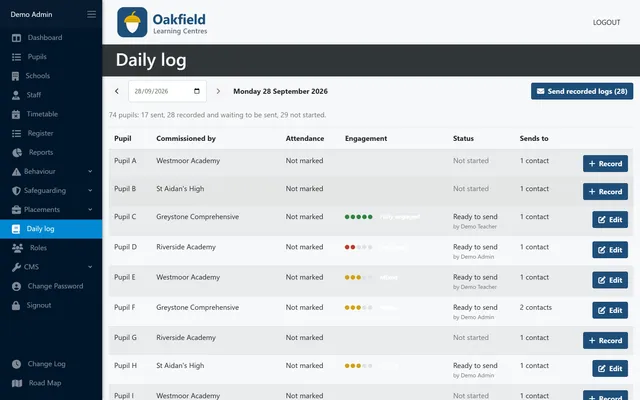
PupilDB’s multi-centre weekly timetable lets you swap a teacher, mark staff unavailable and hold pending places, with protection against double-booking the same lesson. Each pupil gets a personal timetable, and registers are created straight from the timetable. Pupil records also hold taxi details, so transport is in the same place. If you run alternative provision across more than one centre, get in touch.