Every setting that works with children needs a reliable way for staff to pass on a worry, and for the DSL to act on it and keep a record. PupilDB now includes safeguarding concern logging, built for the way smaller settings work.
Any member of staff can raise a concern
Raising a concern takes moments. Staff choose the pupil and a category, then write down what they saw or heard, when and where it happened, and what they did at the time. They don’t need to decide how serious it is: that’s the DSL’s job.
Once they’ve raised it, staff can’t see other people’s concerns. Anything they’ve written goes straight to the people who need it.
Only your DSL and deputies see it
Safeguarding sits behind PupilDB’s new roles and permissions. By default, only people in the DSL role can see and manage concerns. That’s your designated safeguarding lead and deputies, and not even other administrators unless you add them to the role.
When a concern is raised, DSLs get an email alert. It contains no names or details: they sign in to read the concern.
The DSL’s view: decisions and a chronology
For each concern, the DSL records:
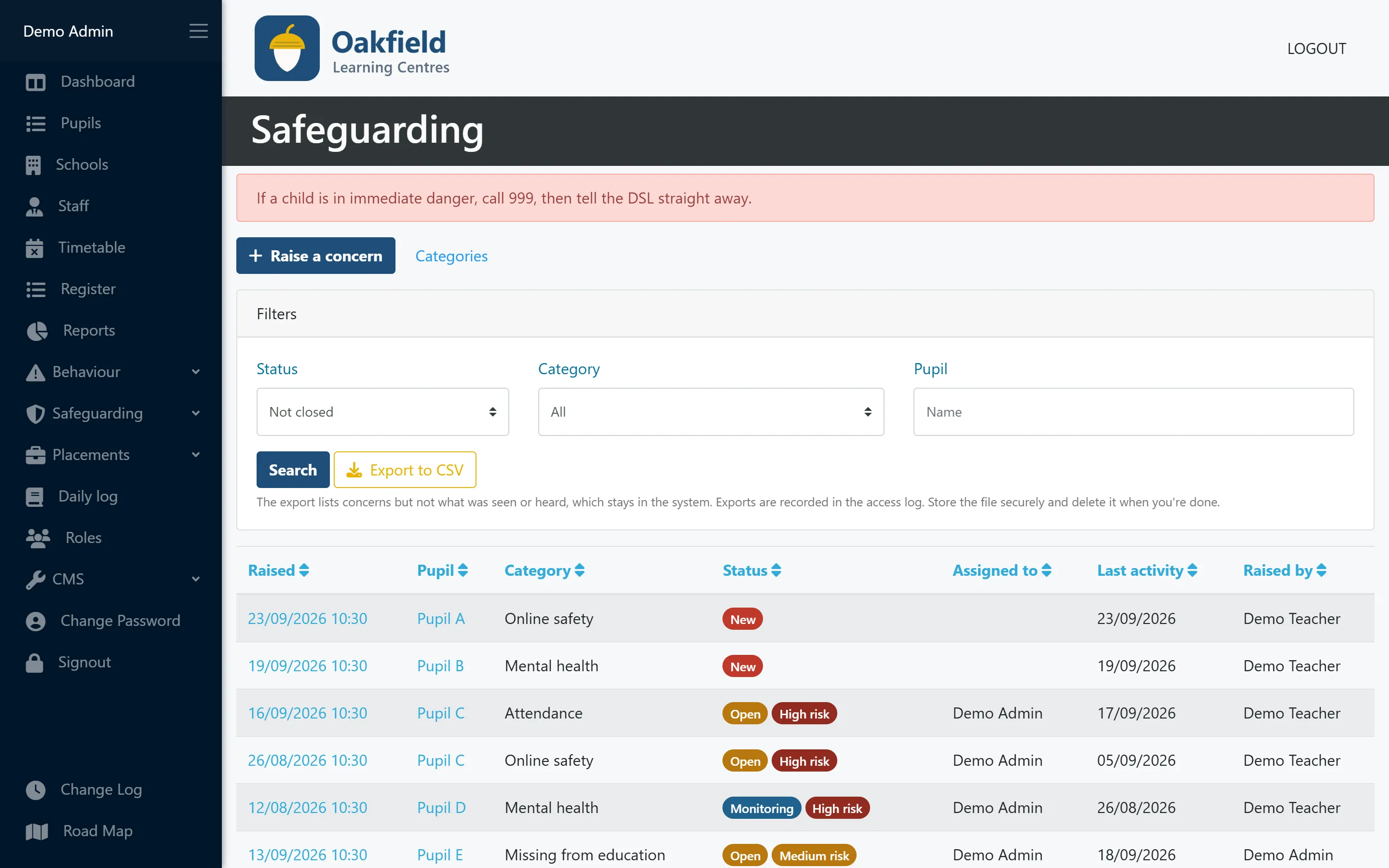
- the status (new, open, monitoring or closed) and the risk level
- who it’s assigned to
- every action in a chronology: referrals, early help, calls to the police or the LADO, meetings and notes
- the outcome, which is needed before the concern can be closed
Each pupil has a safeguarding chronology that pulls all their concerns and actions together in date order. You can print it, marked confidential, when you need to share it with the people entitled to see it.
A record of who has looked
Every concern keeps a “who has looked at this” log: who opened the record and when. It helps you show that sensitive information is only seen by the people who need it.
DSLs can also export a list of concerns to CSV for reporting. The export leaves out what was seen or heard, which stays in PupilDB, and the export itself is logged.
How PupilDB helps
Safeguarding concern logging is included in every PupilDB plan at no extra cost. Read more about the role of the DSL, or book a demo to see it with fictional data.