Behaviour, rewards, accidents and use of force now live in one log in PupilDB. For alternative provision, pupil referral units and special schools, the headline is use of force recording: a structured record that helps staff capture what happened properly, and a clear copy you can give to parents.
One log for behaviour, rewards and accidents
Staff record an incident once and choose its type: behaviour, reward, use of force or accident. Each record holds where and when it happened, the pupils and staff involved, what happened and what was done about it.
- Points. Set points for each behaviour and reward category, and see each pupil’s net points.
- Your own categories. Add, rename and order categories to match your behaviour policy.
- Filters and CSV export. Filter the log by pupil, type, category or date, and export it to CSV when you need to work with the numbers.
- A tab on every pupil. Open a pupil’s record to see their behaviour, rewards and incidents in one place.
Use of force, recorded properly
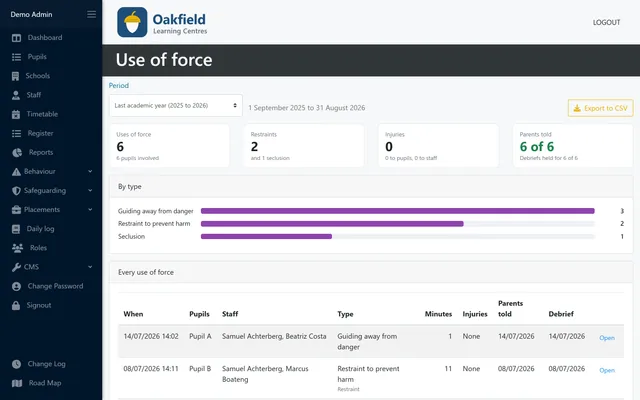
When staff use force, a quick note isn’t enough. The use-of-force section of an incident asks for the details that matter:
- why force was necessary, and what was tried first
- the hold or technique used, and how long it lasted
- whether it was restraint or seclusion
- the pupil’s SEND needs and how they were taken into account
- any injuries, and the support the pupil had afterwards
- the debrief with staff and pupil
- when and how parents or carers were told
A plain-English copy for parents
Every use-of-force record has a printable parent copy. It carries your setting’s logo, explains in plain language what happened and why, and invites parents to talk it through. Print it, or save it as a PDF from your browser, and share it in the way your policy sets out.
Being open with families after a difficult day builds trust. Having the record already written makes that conversation easier.
Trends, week by week
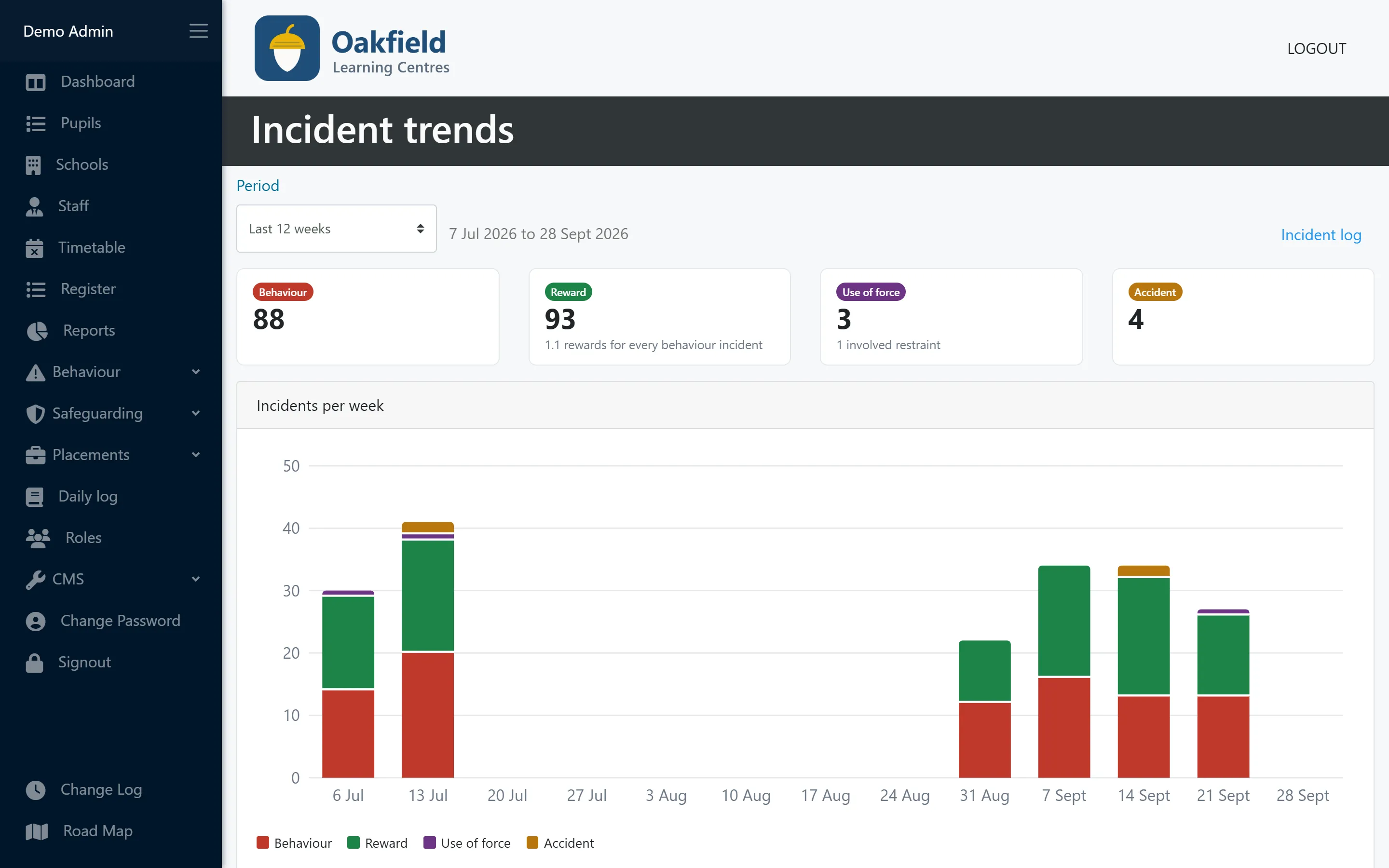
The trends page shows incidents per week by type, with totals for the period you choose. That includes how many use-of-force incidents involved restraint. It makes it easier to spot patterns: a class that has a hard Monday, a pupil whose rewards are climbing, or a rise in incidents after a timetable change.
Who can see what
Incidents sit behind PupilDB’s new roles and permissions. You decide which staff can record incidents and who can see the log, so the right people have access and nobody else does.
How PupilDB helps
Behaviour and incidents is included in every PupilDB plan at no extra cost, like every feature we add. If you’d like to see it with fictional demo data, book a demo.